 Please wait while we sign you in...


Teltonika Telematics Introduction
Tracker Solutions for your vehicle:
Have you ever considered where your vehicle is when you are not with it? We take for granted that it is where we left it when we park up at home or when we are holidaying with our campervan or motorhome.
 A vehicle tracker is an excellent investment for your campervan, motorhome, or car, providing security, peace of mind, and practical benefits. One of the most significant advantages is theft prevention and recovery. With a GPS tracker installed, you can monitor your vehicle’s real-time location and quickly alert authorities if it is stolen. Many modern trackers also feature geofencing alerts, notifying you if your vehicle moves unexpectedly, which is especially useful when leaving a campervan unattended at a campsite.
For everyday car owners, a tracker can also be useful for monitoring driving habits, particularly for families with young or new drivers. You can receive alerts on speed, harsh braking, and other behaviours, encouraging safer driving. Whether for security, convenience, or cost savings, a vehicle tracker is a smart addition to any car, campervan, or motorhome.
Trackers are a fairly new product offering for us here at Solwise. Our range comes from the Telematics division of our mobile router partner Teltonika. Teltonika Telematics offer a wide range of different tracker types from small sensors to easy-install vehicle trackers to trackers that you attach to the vehicle engine directly. They all monitor in different ways, either directly or with an app.
_______________________________________________________________________________________________________________________________________________
Louise, from Solwise, has a campervan which she wanted to use a tracker with to give her peace of mind of where it was, and to be easily tracked should the worst happen and someone steal it. Louise set up the Teltonika TAT140 and hid it in the campervan. There are several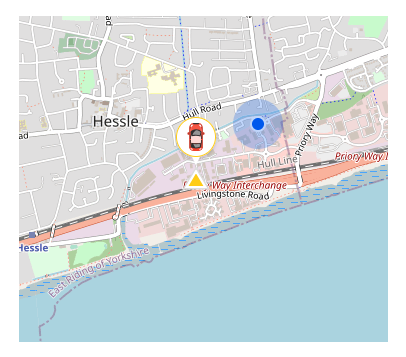 different ways to mount the unit, but Louise found hiding it inside the van suited her purposes best. Louise paired the TAT140 with the Ruhavik App where she can monitor the placement of the campervan. The app shows you where the campervan was last tracked. There are many tracking apps around, you don’t need to use the same one as Louise did, but note she chose it for its ease of use for a non-techie person.
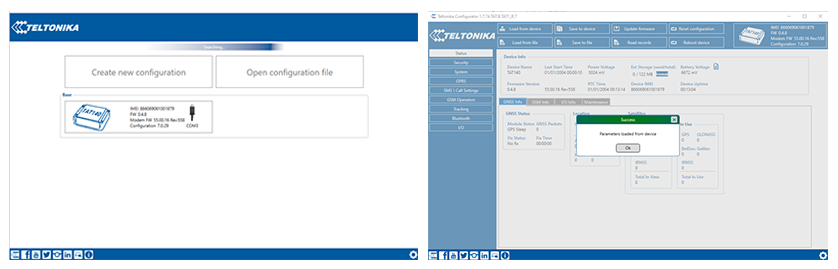
Whilst Louise has some technical skills, she is not a full-on techie; she was keen to set the unit up herself to prove how easy it was to do. Read her 'Easy Set-up Guide' to familiarise yourself with the ease of using the unit. Louise found configuring the device initially a bit fiddly, which is why she wrote the set-up guide. Essentially, you can learn from where she went wrong or didn’t understand. If you are a techie, you will likely find it very straightforward.
There is lots more information on the finer details in the Teltonika Quick Start Guide and Teltonika User Manual.
Tracking Software
Louise’s suggestion for tracking software is the Ruhavik App from GPS-Trace. They have a free option and a number of paid for subscription options. Louise opted for the $0.99 per month service. She found it easy to set up an account with them. You can use this service with many different trackers. We did a fair bit of research into which service to use, and we liked the simplicity of this app, you can set geofences which notify you when the campervan goes outside of it. To manage your expectations, it does not work like ‘Find my friend’ on your phone, you don’t track the unit as it drives around. This system will tell you where your van was last located. See map below, this is Louise's campervan outside the Solwise office.
Tips for using the Ruhavik tracking app
First of all, create an account with Ruhavik. Straight forward enough. Download the app to your phone.
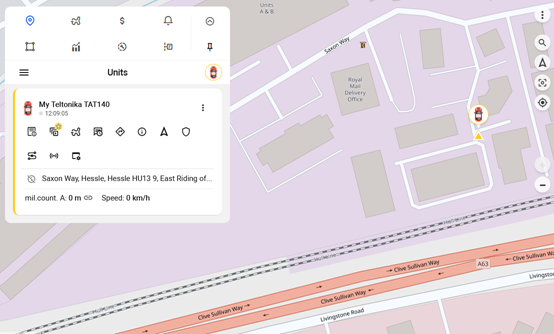
They have a free option and paid for subscriptions. The free option will likely be ok for what most people will want, but if you want more options, then you have to pay for them. The free option has simple notifications and allows one geofenced area. A geofence is the area you set where you get a notification if your van leaves the area. Essentially, the free option and the $0.99 option show you where your van was at the last check-in. For most, this will be enough. Below is the image of my van at the Solwise office viewed on my pc. It gives me a map location and a partial address. Likely enough to let the police know where to find a stolen vehicle. For me, this is a peace of mind purchase.
Below is the view from the app on my phone.
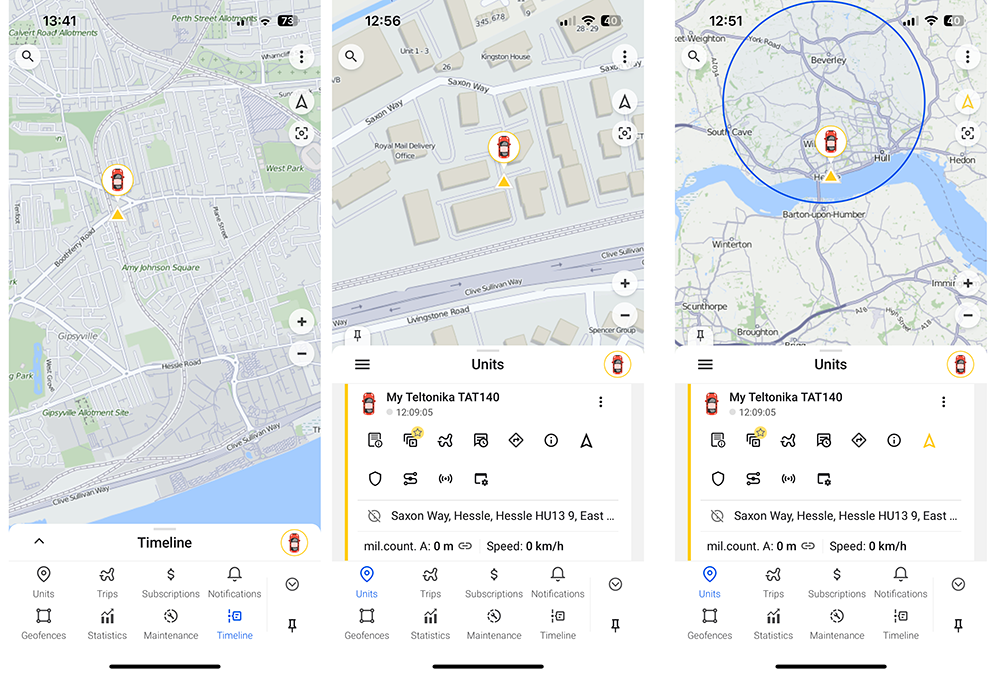
Essentially, it is a very simple software application showing where your campervan is! There are many tracker software options available online which you can use the Teltonika trackers with but if you want simplicity, Ruhavik is the tracking platform I would recommend. Solwise are in no way affiliated with GPS Trace or Ruhavik.
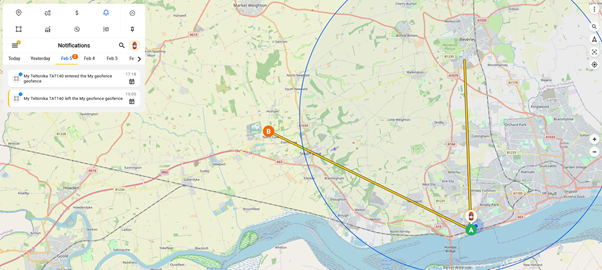
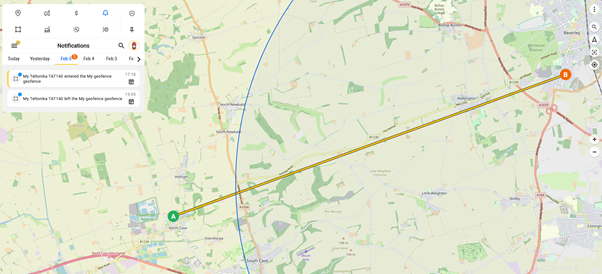
Below shows the map when the campervan left the Geofence in a different direction and then when it re-entered a couple of hours later. I was really impressed with the phone app, it was almost pin-point correct with the address I visited. These maps are obviously scrolled out so you can’t see the addresses, but when you do scroll in, it is spot-on.
_______________________________________________________________________________________________________________________________________________
Additionally, you may want to consider the FMC920 Tracker. We have trialled this one internally too, in a car this time. The FMC920 uses the same setup and similar configuration tool. The only difference is that the connections for power are hardwired to two of the loose wires from the unit. You need to connect using Bluetooth. As with all Bluetooth devices, search on the PC for BT devices and allow the FMC to connect. From that point on the Teltonika COM driver sees the device. Again, you can use any tracking software you like to view the vehicle's location. The FMC920 is compact, reliable, accurate and enduring. All the interfaces it has are more than enough for basic tracking. Digital Input can be used for ignition, door or alarm button status monitoring, while vehicle remote immobilising may be achieved by using the Digital Output of the device. At the same time, Analogue Input extends device usage scenarios with temperature, humidity, liquid level monitoring and many more._______________________________________________________________________________________________________________________________________________
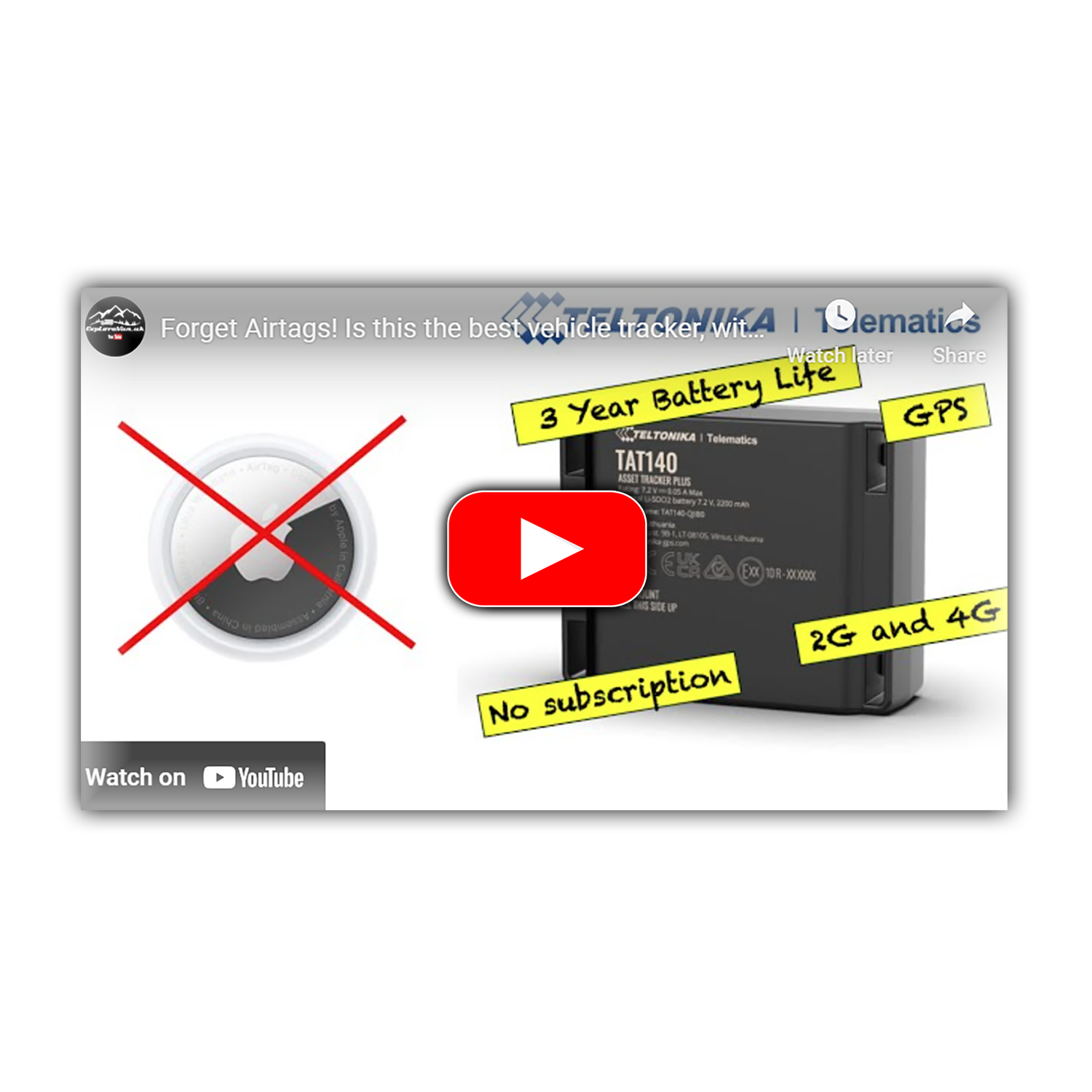 Video: TAT140 Tracker
 TAT140 Tracker
 Video: Asset Trackers
 Article: Vehicle Monitoring
 Video: Vehicle Monitoring